Documents
Edit a Word document
Choose a .docx or .odt file and it opens right here. Change the text, then download it again as .docx, or save a PDF.

This tool didn't load
Nothing was sent anywhere — whatever you added stayed on your device. Open the full tool, or reload the page.
Do not take our word for it: watch the network
On a computer, open your browser tools, switch to the Network tab and use the widget above. The document you open or type is never sent: there is no upload on this page. You will see two kinds of rows: our own code arriving from this address, and visit statistics for Yandex Metrica, PostHog and nopa’s own counter. The statistics say that the page was opened and the tool used, never what is in it.
- GETmini-bootstrap.jsscript
- GETmini-shared.jsscript
- GETvendor-react.jsscript
- POSTmc.yandex.com/watchping
- POSTus.i.posthog.com/i/v0/eping
- POSThub.n1.team/ingest/v1/batchping
- POSTupload—
Your work never left this device.
What you can do with your file
A real editor, not a preview
Headings, tables, checklists, images, find and replace, a chapter outline. The file you get back is a real .docx that Word opens without complaint.
A .docx goes in, a .docx comes out
Your file is unzipped and rewritten inside this tab. What you download is a genuine Word document: Heading 1–3 as Word’s own styles, at the sizes you saw on screen, and page numbers in the footer if your file had them.
Your headings become the map
Every heading joins a live chapter list beside the page. Click one to jump there, and the section you are writing in stays lit as you move through the document.
What people open it for
-
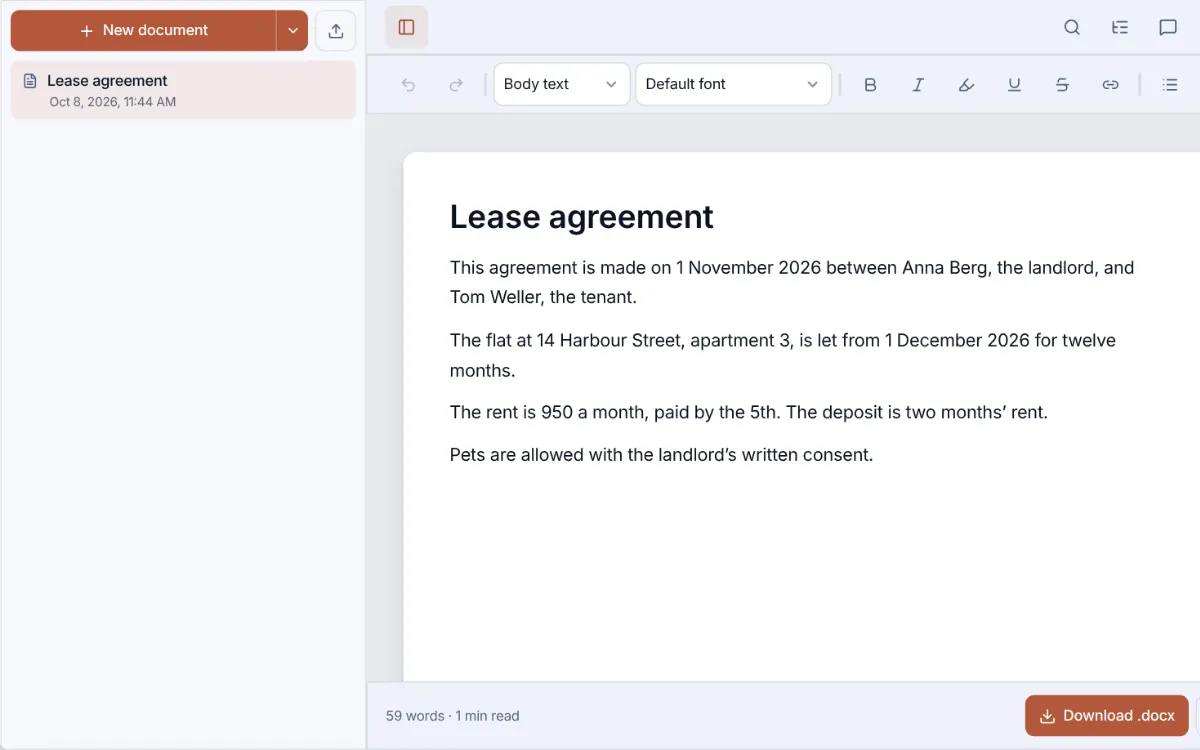
The contract you were sent
Open the .docx, change the dates and the names, download it back as Word. The file never leaves the device.
-
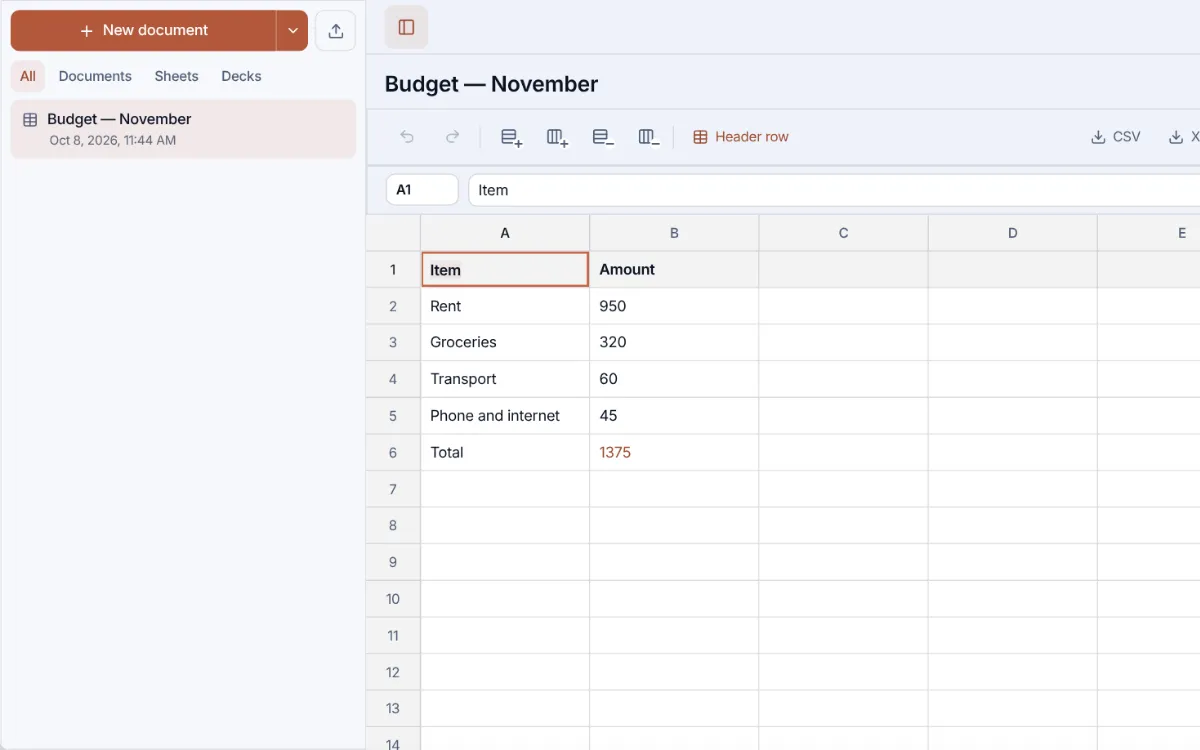
A monthly budget
A sheet whose total adds itself up: type =, click a cell, drag across the range. Saves as .xlsx or .csv.
-
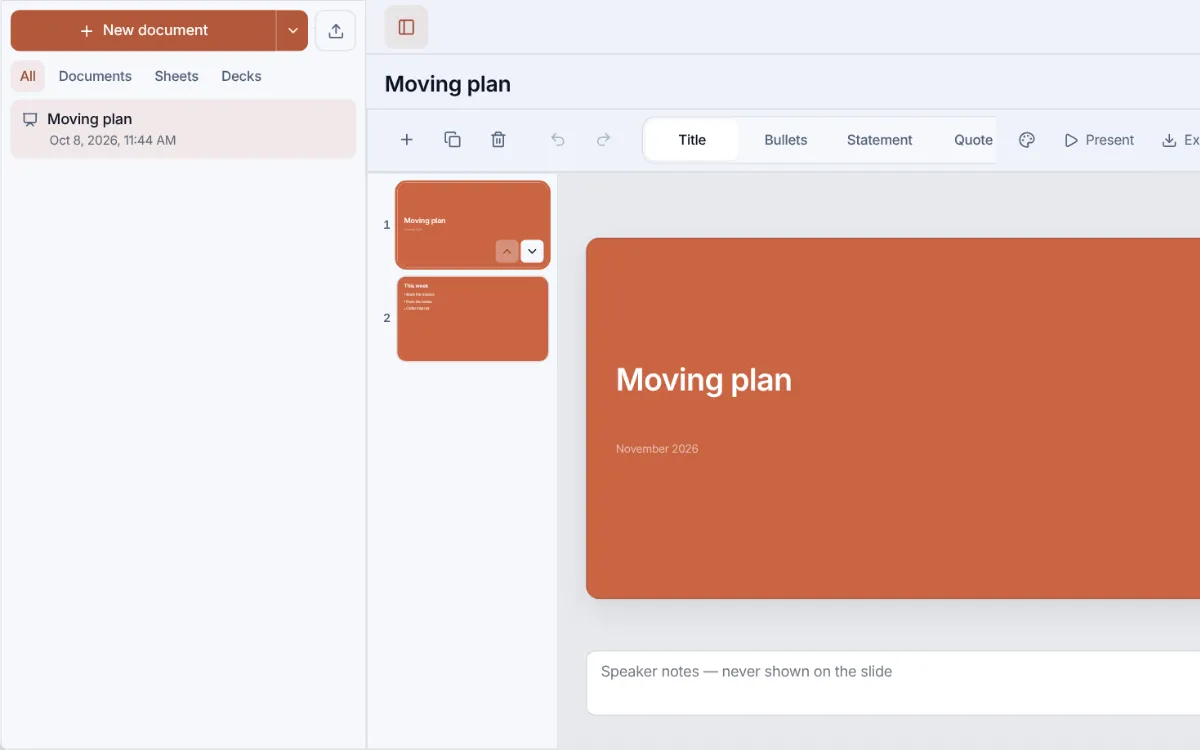
A short deck
Five layouts, three themes, speaker notes. Present it full screen, then export .pptx or PDF.
Also in the editor
- Tables you edit in place
- Checklists
- Find and replace
- Pictures, dragged straight in
- Line spacing, indents, alignment
- .odt, Markdown, HTML and plain text
- Print or save as PDF
- Opens .docx from Files and the desktop
- Writes back into your own .docx (Chrome, Edge)
- Spreadsheets too: .csv and .xlsx open and save
- Slides too: present, then export .pptx or PDF
How it works
- Open your documentPick a .docx or .odt file. It opens right in your browser and nothing is uploaded.
- Make your editsFix the text in place: dates, names, whole paragraphs.
- Take the file backDownload a real .docx, or save a PDF through the browser dialog.
Save and continue on the desktop
Download or copy your result here first. Open the free desktop to save to Files or use more features.
- Formatting, tables, find & replace in the full Documents
- Save to Files when you continue on the desktop
- Every tool in one place, no new tabs
Documents on the desktop keeps the file, its outline and its tables together, and saves it on this device as you type.
What DOCX Editor can do
For the file you got but cannot open
Someone sends a contract, an application or a lease and asks you to fill in a date, a name, a paragraph. Installing an office suite for a two-minute edit is a lot to ask, and uploading a private document to a converter site is worse. Open it here instead: it renders in the tab you already have, you edit the text in place, and Download hands you a .docx.
What you download is a real Word file
The .docx you download uses Word’s own heading styles, lists and tables, keeps the paper size and margins of the original, and its page numbers if it had them. Word, LibreOffice and Pages open it as a normal document.
The full editor is already on the desktop
This page is built for quick fixes. For real writing, the nopa desktop has the full Documents editor: chapter outline, complete table tools, checklists, page numbers and every export. One click on “Open the free desktop” carries the file you opened here straight into it, with the edits you already made.
What survives, and what does not
The import keeps the meaning of the document (headings, paragraphs, lists, tables, pictures, links), not its pixel-exact look. Comments and shapes are dropped, footnotes move to the end as text, a text box’s words land under its paragraph, and a multi-column layout comes back as ordinary paragraphs. Of Word’s header and footer only the page numbers carry over: a letterhead or a footer line there is not in the file you download. A note says so the moment such a file opens. Check the page before you send it; a brochure belongs in the app that made it.
How this differs from an online office suite
Google Docs and Word Online are the deeper editors, and they are built for people writing together. To open your file they need it uploaded to an account. This one does not.
| How this differs from an online office suite | DOCX Editor | Online office suites |
|---|---|---|
| Account to open a file | Not needed | Required |
| Where your file goes | Nowhere, it stays here | To their cloud |
| Keeps the page layout | Structure, not layout | Yes |
| Works offline | Yes | With setup |
| Real-time co-authoring | No | Yes |
| Depth of the editor | Simpler | Deeper |
Your file never leaves the device
The document is read and written by your browser. Nothing is uploaded, so there is no copy on a server to delete later, which is the part you cannot check anywhere else.
- Opens Word .docx with its pictures, and LibreOffice .odt
- Exports a real .docx with Word heading styles, or PDF through print
- The draft stays in Documents on this device, ready when you come back
Open your document in the full editor
The same file, the same tab, with the chapter outline, find-and-replace and every export. No account, and the document never leaves your device.
More document tools
Questions
Is my document uploaded to a server?
No. The file is opened, edited and rebuilt in your browser. It never leaves your device, and we cannot read it.
Do I need Word or an account?
Neither. The page opens .docx and .odt on its own, and Download works on the first click: no account, no email, no wait.
Can I open an old .doc file?
Not directly: .doc is a different, older format. Ask the sender for a .docx, or resave the file as .docx in any office suite, and it will open here.
Will my formatting survive?
From a .docx: headings, lists, tables, pictures, links, bold and italics all come back; footnotes move to the end as text, comments are dropped, and of the header and footer only page numbers carry over (a letterhead there is left out). An .odt loses its pictures, footnotes and comments and turns numbered lists into bullets. Either way a note appears as soon as you open such a file, and a multi-column layout comes back as ordinary paragraphs.
Can I write a document from scratch?
Yes. Open Documents in nopa. It is the full editor: chapter outline, tables, checklists, page numbers, and export to .docx, .odt or PDF.
What happens if I close the tab?
The file you opened stays where it was on your device; the edits made on this page live only in the tab. Download the .docx before you close it, or click Open the free desktop to carry it into Documents, which saves to this browser as you type.
How is this different from Google Docs?
Google Docs needs a Google account and an upload: the file goes to Google's servers before you can change a word. Here it opens in the tab with no account and never leaves your device. Google Docs does more (live co-editing and suggestion mode), and nopa does neither.
Will the other side see what I changed?
Not as tracked changes: your edits are saved as plain text, and the .docx you download has no revision marks. Say what you changed in your reply, or let them compare the two versions in Word. A file that arrives with tracked changes opens with them accepted, and the page says so as it opens.
Can someone edit the document with me?
Not at the same time: nothing leaves your browser, so there is no server to edit it through together. Send the .docx or a PDF; they make their changes and send it back.
What if my laptop is stolen?
Documents you keep in nopa sit in this browser like your other files on the device: whoever can log into your computer can open them, and nobody else: there is no nopa account to break into and nothing of yours on our servers.
What if I clear my browser data?
Clearing nopa's site data deletes the documents you kept in nopa. That is where they live, so download them or back up from Settings → Data first. A file you only opened on this page was never stored here: the original is still where you left it.