nopa Desktop
A full desktop in your browser
Open apps in windows, pin favorites on the Dock, drag a file from one app to the next, and find everything where you left it tomorrow — a desktop that opens from a link.
- Free
- No account
- Offline after first visit
product-cutout.png
report-merged.pdf
Launch checklist
passwords.txt
Launch checklist
Remove background from product photo
Merge PDF pages for the report
Saved to Files
AI on your device
The AI never sees your photo
Two of the tools run neural networks. The network comes to your browser once; your file never goes to it.
Cut a person, a product or a portrait out of its background with a segmentation model (BRIA RMBG) that downloads once — about 44 MB, up to 170 MB where your GPU can run the sharper build — and then handles any number of photos, offline.
Turn a recording into text with Whisper running inside the tab. MP3, WAV, M4A, OGG or WebM in, an editable transcript out — and the audio of your meeting stays on the machine it was recorded on.
Apps that work together
The result of one app is the starting point for the next.
01
Results land in nopa Files
Merge a PDF, remove a background, transcribe a recording — most results are saved to nopa Files automatically instead of getting lost in Downloads, and the rest you can save there in one tap. Come back a week later and they are still there.
02
Drag between windows
Open two apps side by side and drag a file from one window onto the other. Or right-click any file and pick “Open with” — a converted PNG goes straight to the background remover.
03
Suggested next steps
Open a file and nopa offers what fits: split, merge, or compress a PDF; convert or watermark an image; format JSON; transcribe audio. One click opens the app with your file loaded.
Apps that replace the usual ones
Documents, Player, Reader, Files, Notes, Calendar, Tasks, Board, Watermark, Code, Retro Games — plus the rest of the catalog. All local, and offline after the first visit; AI tools, Sega games, and downloadable emoji artwork still need a connection.
Files
Local file manager with preview and drag & drop
Notes
Simple notes with bold and lists — saved locally
Documents
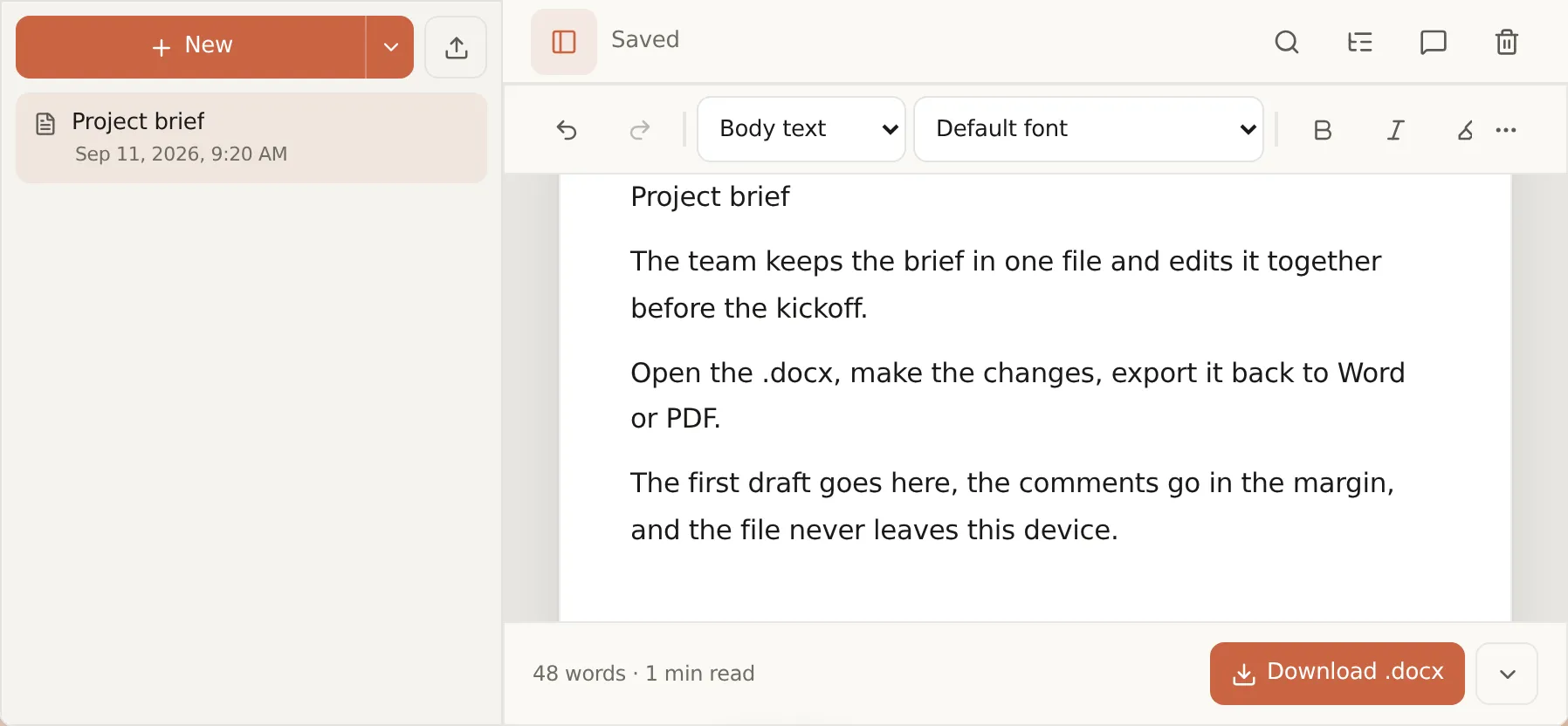
Open a .docx, edit it, and export to Word, PDF or Markdown
Tasks
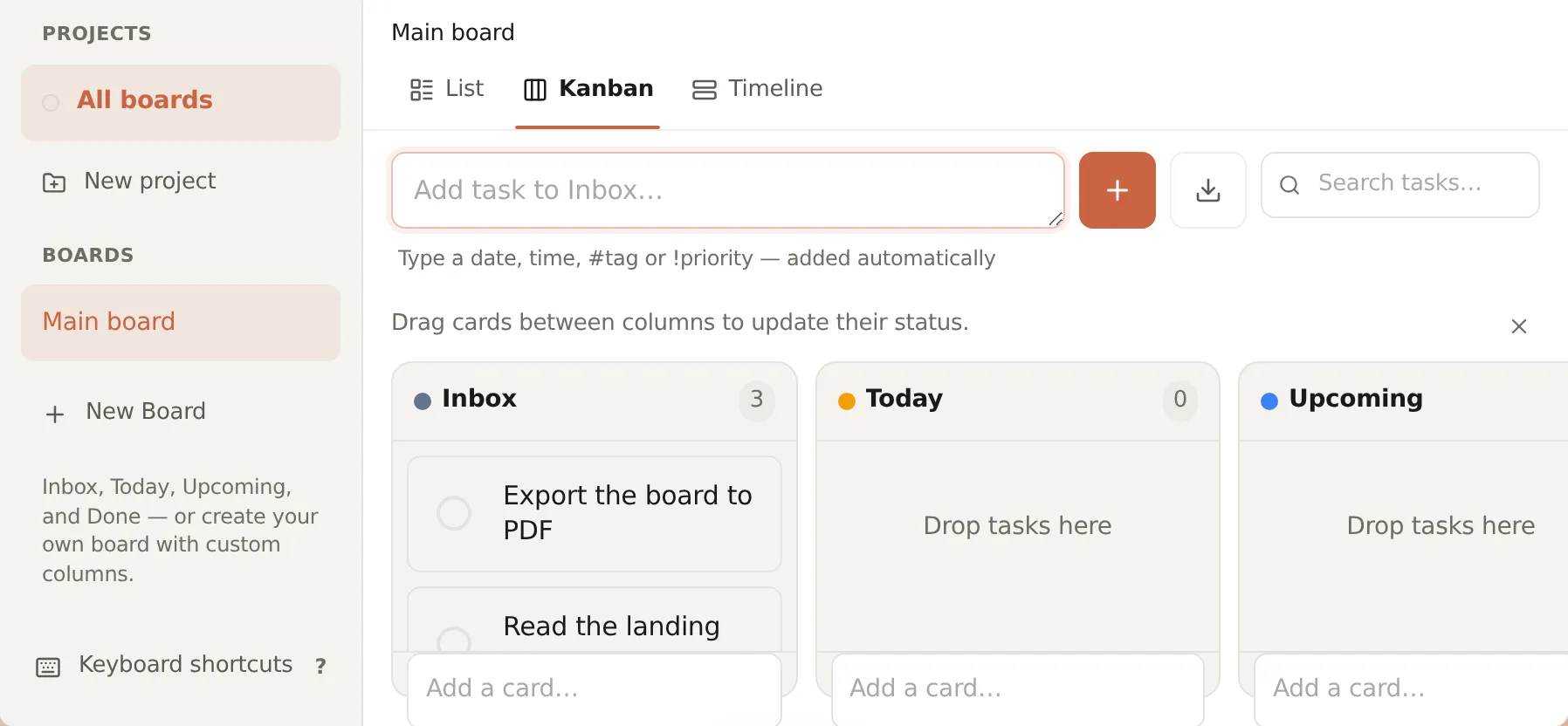
Plan in columns or as a list — due dates, reminders, repeats
Calendar
Events and scheduling with reminders
Board
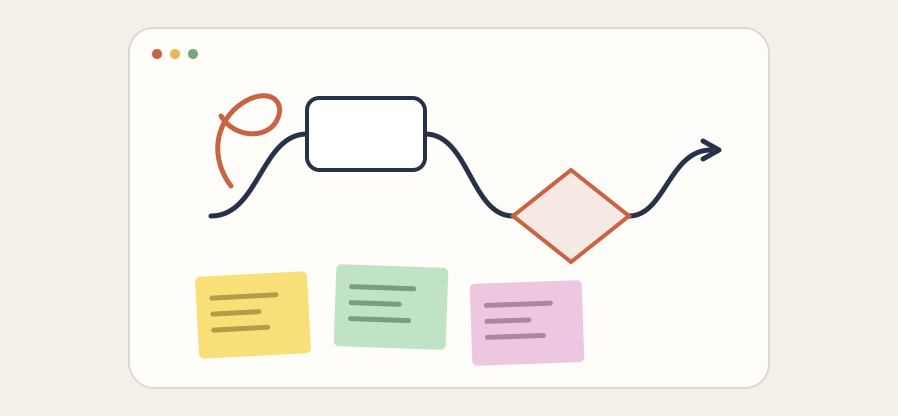
Sticky notes, shapes and connectors that stay attached — saved on this device
Player
Play audio and video from your files — nothing uploaded
Reader
Open and read EPUB and FB2 books — in your browser, nothing uploaded
Merge, split, rotate and convert PDF files
Image Converter
Convert images between JPG, PNG, and WebP, or compress them, in your browser
Watermark
Add a text or logo watermark to photos — in your browser
Avatar Frame
Status ring on your profile photo — crops perfectly to a circle
Background Remover
Remove image backgrounds locally — no upload
Local Transcriber
Transcribe audio to text locally — no upload
QR
QR codes for URLs, Wi-Fi, contacts — download or auto-save
UTM Builder
Campaign link builder with UTM parameters
Password
Generate strong passwords with secure randomness
Emoji
Search, copy and download emoji with open-source styles
JSON
Format, validate, and minify JSON in your browser
Code
A fast local code editor with syntax highlighting — no upload, no account.
Internet
Check if your connection works for video, calls, games, and downloads
Retro Games
Play legal homebrew demos or load your own ROM locally in the browser
nopa Files — on this device
A file manager in the browser. Everything stays on your device — nothing is uploaded to our servers.
Folders, search, and previews
Grid, list, or columns. Press Space for a quick look, type to jump to a file, drag to move.
Stored in your browser
Files stay on this device, in your browser. Close the tab, come back tomorrow — everything is where you left it.
Open in the right app
Each file offers what fits: a PDF can split or compress, a photo can convert or remove the background, audio can transcribe.
Backup you can take with you
Export a full backup from Settings → Data and import it on another device. Your data stays yours.
Details that feel like a real desktop
Not a pile of tabs — windows, a Dock, and shortcuts that stay out of the way until you need them.
Windows you can move and resize
Drag them anywhere, snap two side by side, or minimize to the Dock. Work in more than one app at once, like on a real computer.
A Dock with your favorites
Pin the apps you use daily so they are one click away. Whatever is running shows up there too, so you never lose a window.
Drag a file onto an app
Drop a photo on the background remover, a PDF on the splitter. Or right-click a file and pick “Open with” to send it to the right app.
Suggested next steps
Open a file and nopa offers what fits — split a PDF, convert an image, transcribe audio. One click and the app opens with your file ready.
A command palette
Press ⌘K or Ctrl+K to jump to any app or file by name — no hunting the Dock. It is the fastest way to move around.
Right-click the desktop
A new note, task, or link, or upload a file — straight from the desktop, the way a real operating system works.
Install it like an app
nopa is a Progressive Web App. Add it once — it opens in its own window, works offline after the first visit, and can receive files from other apps where your browser allows.
Install nopa
Look for Install / Add to Home Screen in your browser menu. On some browsers, bookmarking is the closest option.
Under 100 MB for the whole desk
Installing nopa downloads the desktop, every app in it, and the pages you have visited — under 100 MB in total. The programs it stands in for — an office suite, a PDF editor, a photo editor — run to several gigabytes each.
Its own window
No address bar or browser tabs — just nopa. It looks and feels like a desktop app, not a website.
Offline after the first visit
After the first visit the desktop and its apps are cached in your browser, so they open even with no connection.
Open with & Share
On supported devices you can share a file from another app straight into nopa, or set nopa as the app that opens it.
On your home screen & Dock
The nopa icon sits next to your other apps. Tap it and it opens the desktop right where you start.
Save back to the same file
Open a text file from your computer, change it, and save it back to the same place — no second copy in Downloads. Works in Chrome and Edge on a computer.
Your own folder inside Files
Connect a folder from your computer and browse it in nopa Files. Open a file, edit it, save it back — one file, not a copy. Works in Chrome and Edge on a computer.
Yours, on this device
No account, ever
No email, no plan, no daily cap, and no watermark on anything you make. Nothing to cancel later, because there was nothing to sign up for.
Your data is in your browser
Notes, boards, and Files live in this browser’s storage, not on our servers. Export a full backup from Settings → Data whenever you want to move it or keep a copy.
The honest catch
Because everything is local, clearing your browser data or uninstalling nopa deletes it — back up first. Large files depend on your device’s memory, and AI apps download their model once before they can work.
Questions
Is the desktop free?
Yes. The desktop and every app in it are free. There are no paid plans or daily caps.
Do I need an account?
No. Open the desktop and start — no email, no password.
Where are my files stored?
In your browser on your device. Files are not uploaded to our servers unless a specific app says otherwise.
Does it really work offline?
Yes. After the first visit the desktop and its apps load without a connection. AI models, the Sega emulator core, and downloadable emoji artwork are fetched the first time you use them, so those need the internet once.
Can I play music and video?
Yes. The built-in Player handles audio and video — playlists, resume where you left off, speed control. Play from nopa Files or straight from your device, even a large movie.
Can I move my data to another device?
Yes. Export a backup in Settings → Data, then import it in nopa on the other device.
What is a PWA?
A Progressive Web App is a website that installs like a normal app. nopa opens in its own window, works offline after the first visit, and sits next to your other apps — no app store needed.
How do I install nopa?
Use the Install button on this page, or your browser menu. Chrome and Edge show an install icon in the address bar; on iPhone, tap Share and then “Add to Home Screen”.
Open it and look around
The desktop loads in seconds. Drop a file or pick an app to start.